In the upcoming iOS 27 update, the iPhone’s Weather app is getting a major tune-up. But did you know there are many other useful and fun features that most users overlook?
The Weather app offers more than just temperature and hourly forecasts for your location. Here’s how you can make the most of your pocket-weatherman for you and your family.
Severe Weather and Next-Hour Precipitation Notifications
If you set it up correctly, your iPhone’s Weather app can send you alerts for severe weather and upcoming rainfall based on your location. This can help you avoid being caught unprepared in bad weather conditions, such as getting wet or forgetting an umbrella. It can also help you stay safe during severe weather events.
Here’s how to configure Weather alerts:
- Open the Settings app.
- Go to Apps and select Weather (or search for “Weather” in the search bar and tap it).
- Tap Location.
- Choose Always under Allow Location Access.
- Go back by tapping the arrow in the top-left corner.
- Tap Notifications.
- Turn on the slider next to Allow Notifications.
- Under Always Deliver Immediately, enable Time Sensitive Notifications.
- Scroll to the bottom and tap Weather Notification Settings.
When you choose Weather Notification Settings, the Weather app will open, allowing you to enable alerts for Severe Weather and Next-Hour Precipitation. You can also manage these notifications for your saved locations by tapping on each location separately.
Once you have set up these important safety alerts, your iPhone will keep an eye on the weather in the background. But there’s more to explore within the Weather app.
Precipitation, Temperature, Air Quality, and Wind Maps
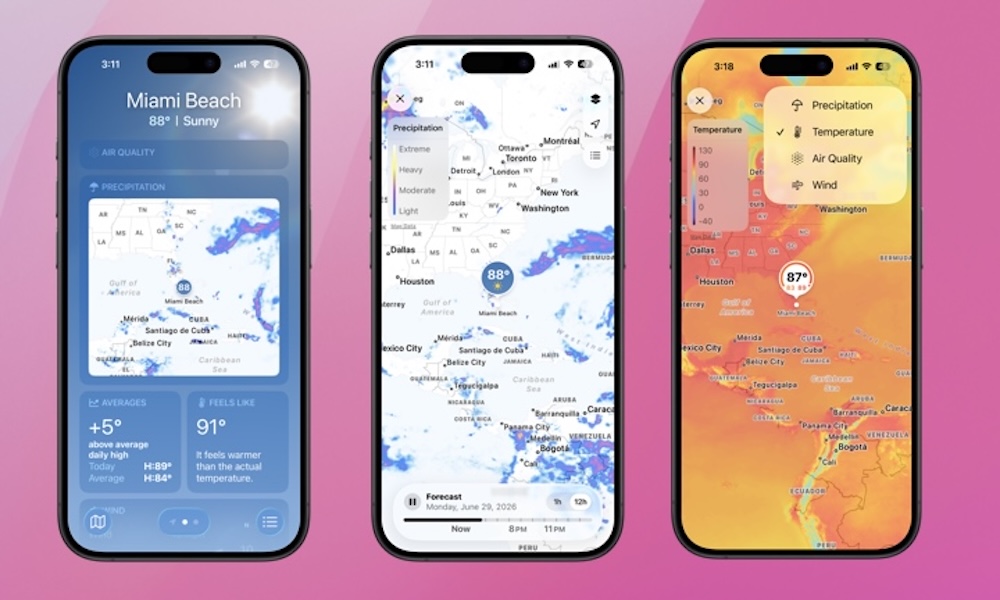
Open the iPhone Weather app and scroll down to the Precipitation map widget. Tap on it to view a full-screen dynamic radar map showing a one-hour or 12-hour precipitation forecast for your location.
You can switch between viewing the precipitation forecast, temperature, air quality, or wind by tapping the layers icon (two black stacked squares) in the top right corner.
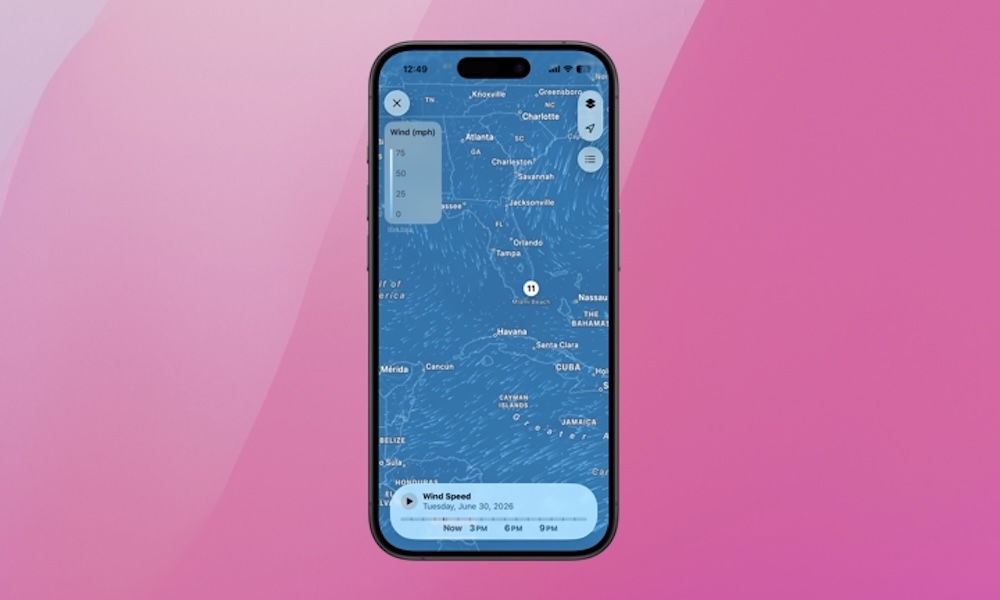
While the temperature and air quality maps are static, the wind map shows real-time wind speed and direction, along with a projection for the rest of the day.
Golfers may find this feature particularly useful. You can pinch to zoom and see wind speed and direction for a specific location on the map. Give it a try!
Moon Phases
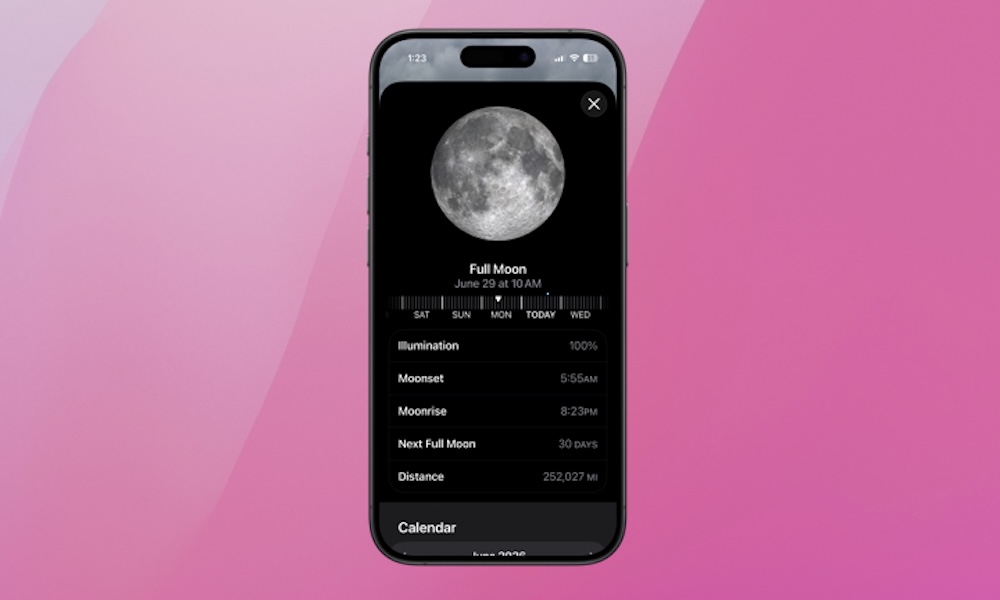
The Weather app also provides information about the Moon, which can be fun for kids and grandkids.
The widget displays the current Moon phase, illumination percentage, and moonrise time. You can track previous and future Moon phases by tapping on the widget.
The app also presents Moon phases in a calendar format, counts down to the next full Moon, and shows the Moon’s elliptical orbit, indicating the distance between the Earth’s core and the Moon’s core.
If you haven’t explored the iPhone’s Weather app recently, now is the time to do so. Beyond the daily temperature and rain chances, there are some fun, helpful, and crucial safety features waiting to be discovered.
If you’re using a third-party weather app, don’t forget to check out Apple’s Weather app after the iOS 27 update in September. You might find yourself returning to the native Weather app on your iPhone.