The moment you discover that your account has been compromised, it’s natural to feel a sense of panic. Your mind races to think about private messages, payment details, photos, work documents, and all the other sensitive information protected by a password. In such situations, it’s important to act swiftly and methodically rather than being completely calm.
Taking the right steps after a security breach can help minimize the damage. While you may still encounter some challenges, prompt action can lead to a better outcome.
This guide is designed to assist you in navigating the immediate aftermath of a security breach and reclaiming control of your digital presence. Additionally, we have included essential tips to reinforce your security measures to prevent future incidents.
Confirming the Compromise and Assessing the Intruder’s Access
Before making any changes, take a moment to assess the situation and determine the extent of the breach.
Look out for common signs of a compromise: unexpected password reset emails, security alerts for new logins, messages you didn’t send, or notifications about changes to your account details. Unrecognized purchases, profile modifications, or unfamiliar devices indicate a security breach rather than a technical glitch.
If you can still access your account, immediately review the security activity section to monitor recent logins and devices. Most platforms offer insights into login locations, device information, and any blocked or approved activities.
This initial assessment is crucial as it dictates your subsequent actions based on the level of access obtained by the intruder. While changing your password and signing out may suffice if the breach was due to a guessed password, more thorough measures are required if the intruder has altered recovery information to maintain access even after remediation.
Securing Your Account If You Still Have Access

If you can log in to your account, take immediate steps to restrict the intruder’s access. Change your password promptly, avoiding minor alterations to previous passwords.
Generate a completely new, lengthy, and unique password that has not been used elsewhere. Utilize a password manager or iCloud Keychain on your iPhone or Mac to create a strong password quickly, alleviating the stress of inventing a secure password under pressure.
After changing your password, focus on terminating active sessions. Intruders may retain access through authenticated sessions on their devices without requiring your password. Look for options like “Sign out of all devices” or “Manage devices” to remove any unrecognized devices.
To prevent the intruder from persisting within your account, ensure they are logged out from all devices, not just prevented from future logins.
Initiating Account Recovery If You Are Locked Out

If you are unable to log in, avoid repetitive attempts with the same password variations as it may lead to temporary lockouts. Instead, follow the platform’s official recovery process directly to prevent falling for phishing attempts offering fake recovery links.
Commence the recovery process from a familiar device and location to enhance verification credibility and expedite account restoration. Consistency in recovery attempts across devices and methods is advised to prevent triggering suspicion from security systems and encountering delays.
Pro Tip: Enhance account recovery by setting up an Account Recovery Contact. This feature allows a trusted individual to receive a temporary recovery code in case of a lockout, without accessing your data or account. Configure this setting on iOS or macOS by navigating to Settings (or System Settings on Mac), selecting your Apple Account, accessing Sign-In & Security, and adding a trusted contact under Add Recovery Contact.
Auditing and Reversing Unauthorized Account Changes

Many intruders make subtle alterations to maintain access to your account. Review and eliminate any unfamiliar recovery options, such as unrecognized email addresses or phone numbers. Verify trusted devices and remove any unidentified entries. Monitor email forwarding, filters, and rules to prevent unauthorized access to password reset emails.
Examine connected apps and third-party access, revoking permissions for unfamiliar applications. Pay attention to “Sign in with Apple” or “Sign in with Google” connections, as compromised primary accounts can serve as gateways to other services.
Updating Reused Passwords Across Platforms
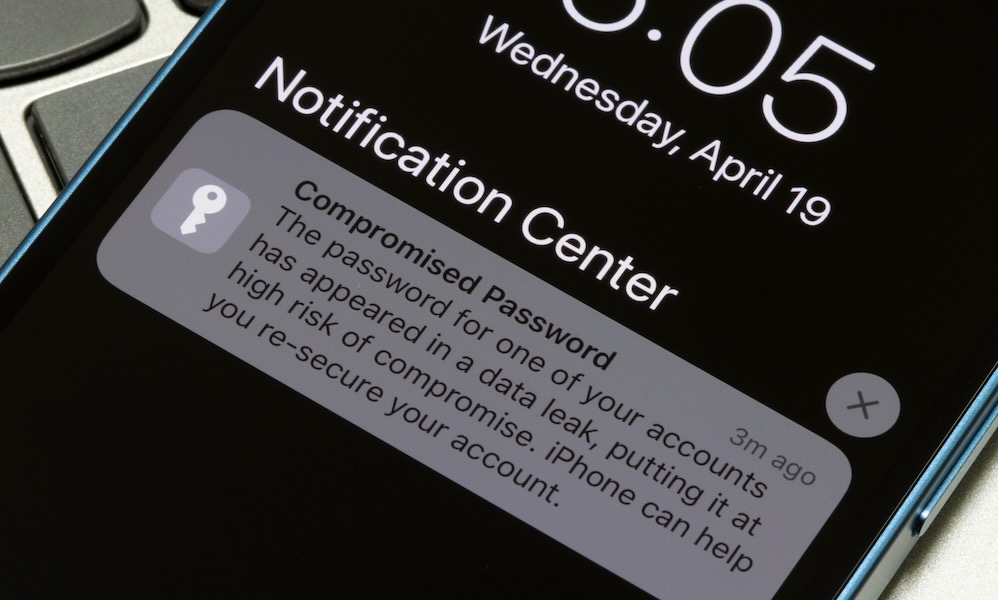
Changing reused passwords is a tedious yet crucial task to prevent subsequent breaches. Assume that passwords reused across platforms are vulnerable to exploitation through credential stuffing, where leaked passwords are tested on various sites until a match is found.
Initiate password updates starting from email and financial accounts, progressing to primary accounts like Apple or Google, followed by social media and online shopping platforms. Implement two-factor authentication for added security layers whenever possible.
Ensure that each password is unique to prevent vulnerabilities stemming from password reuse. Simplify this process by utilizing a password manager to generate and securely store complex passwords.
Reviewing and Addressing Unauthorized Transactions and Payment Modifications

Account breaches are often motivated by financial gains. Monitor recent transactions across banking, credit card, and payment applications, removing unknown payment methods and canceling unauthorized subscriptions.
Act promptly upon identifying fraudulent activities, contacting the respective financial institutions and payment providers to dispute unauthorized charges through official channels.
Stay vigilant for address changes, as hackers may alter shipping details to redirect orders unnoticed. Scrutinize saved addresses, payment methods, and purchase histories for any suspicious alterations.
Conducting Device Security Checks

Device vulnerabilities can exacerbate account compromises. Update operating systems and applications on iOS, iPadOS, macOS to safeguard against known security flaws. Review browser extensions, removing unrecognized or unnecessary plugins to mitigate potential risks.
Employ reputable malware scans on computers to detect potential threats, especially those capable of stealing credentials. In severe cases of suspected spyware or high-risk compromises, consider the advanced option of backing up essential data, wiping the device, and initiating a fresh setup to eliminate persistent threats.
Notifying Contacts to Prevent Further Exploitation

If your email, messaging, or social media accounts have been compromised, assume that your contacts may be targeted next. Notify key contacts promptly to prevent the hacker from exploiting your trusted relationships for fraudulent activities.
Send a concise warning message to inform contacts about the compromise, advising them to disregard any suspicious messages, links, or requests for money or verification codes. Notify your workplace immediately if the compromised account is used for professional purposes to ensure organizational awareness and review internal security measures.
While uncomfortable, this proactive step safeguards your contacts and reputation, halting the spread of potential scams and providing context to recipients who may have received dubious communications.
Reporting Incidents through Appropriate Channels
Reporting incidents serves two primary purposes: expediting recovery through specialized support channels and establishing a documented trail for potential legal or identity theft issues. Swift reporting is essential in scenarios involving financial losses or identity fraud.
Initiate reports within the platform’s security or help sections to flag unauthorized activities and trigger protective measures. In cases of financial loss, follow the fraud reporting procedures of payment providers and financial institutions. For identity theft concerns, utilize official resources like IdentityTheft.gov and the FTC’s fraud reporting tools to navigate next steps and generate incident reports.
In corporate settings, adhere to organizational incident response protocols promptly to ensure compliance with legal and security obligations, particularly if sensitive customer data is at risk. Timely reporting safeguards not only your interests but also those of others impacted by the breach.
Maintaining Online Safety
Experiencing a security breach can feel personal, but it typically stems from common vulnerabilities such as password reuse, phishing tactics, leaked credentials, or inadequate recovery settings that opportunistic attackers exploit. Responding promptly allows you to mitigate risks, regain control, and fortify your defenses against future incidents.
Act swiftly to minimize potential damages to your accounts and contacts. While self-blame may arise, remember that even knowledgeable individuals can fall victim to scams. By familiarizing yourself with the necessary actions, you can prevent such incidents from recurring.
global $wp;
. ‘/’;
?>
