If you’re in the business of managing a large customer base, having an online CRM system is essential. A dependable CRM system can streamline your business operations, enhance customer relationships, and drive sales growth.
When choosing a CRM system, it’s crucial to look for one with features that make customer management easy. With so many options available in the market, it can be overwhelming to make a decision.
In this blog post, we’ll delve into what a CRM system is and discuss the key features that are a must-have in your software.
What is CRM System Software?
A CRM (Customer Relationship Management) system is a software solution designed to help businesses manage and enhance customer communication. By centralizing customer data, streamlining processes, and providing valuable insights, CRM systems play a crucial role in improving customer relationships and driving business growth significantly.
According to a source, automation in CRM is essential for various aspects of sales and business growth. In fact, 32% of service provider companies utilize CRMs for better client relationship management.
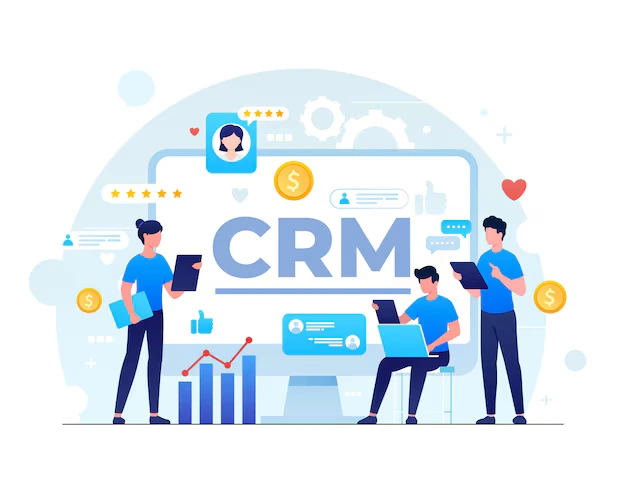
Below, we will outline 12 essential CRM features that can help elevate your business:
1- Pipelines
Creating a pipeline view to manage leads and customers is crucial for easy information updates. You can categorize clients based on sales stages and customize tabs for different leads and customers using colors and tags.
Furthermore, you can segment clients based on various criteria like language, location, and lead source to effectively manage them.
2- Detailed Client Profile
A comprehensive client profile is a key feature in online CRM systems. Having all details from lead source to previous orders in one place saves time and provides a clear understanding of the client you’re dealing with.
With a detailed client profile, you won’t need to search through records for past interactions or transactions, as everything is readily available.
3- Tracking the Lead Source
This feature allows you to determine how customers discovered your company, enabling targeted marketing and tailored sales approaches.
By using lead source tracking as a filter in your pipeline, you can identify the sources of specific leads that converted into paying clients.
4- An Integrated Calendar
An integrated calendar helps manage events, schedules, and meetings efficiently. You can keep track of attendees and send reminders, saving time and streamlining communication.
By integrating your CRM system with an integrated calendar, you can easily schedule meetings and set reminders for upcoming events.
5- Sales Forecasting
Sales forecasting is essential for planning future sales and revenue targets. By analyzing sales performance and setting criteria for upcoming quarters, you can estimate revenue and make informed decisions.
Utilizing the sales forecasting feature in your CRM system helps in setting realistic sales goals and predicting future revenue.
6- Task Manager
A task manager simplifies the process of managing tasks like calls and emails within your pipeline. By linking tasks to specific customers and integrating with other business tools, you can efficiently track and complete tasks.
Having a centralized task manager in your CRM system helps you stay organized and prioritize tasks effectively.
7- Remote Access
Accessing and updating customer details on the go is essential for effective customer management. Remote access to your CRM system via a mobile application ensures you can stay connected and informed no matter where you are.
8- Analysis
Detailed analysis of sales performance is crucial for identifying trends and making informed decisions. By analyzing monthly sales data and comparing it with other metrics, you can improve sales strategies and drive growth.
9- Shared E-Mail Service
An integrated email service allows you to communicate with leads and customers directly from your CRM system. It also enables you to track communication history and synchronize emails seamlessly.
10- Follow-up Tracking
Tracking follow-ups and customer interactions is essential for maintaining relationships and closing deals. With follow-up tracking in your CRM system, you can set reminders, add notes, and ensure no lead falls through the cracks.
11- Reminders
Setting reminders for meetings, follow-ups, and client interactions helps you stay organized and attentive. With timely reminders and notifications, you can ensure you never miss an important appointment or task.
12- Invoicing and Billing
The invoicing feature in CRM systems simplifies the billing process by consolidating client information and generating invoices with a click. With all client data stored in one place, invoicing becomes efficient and error-free.
By incorporating these essential CRM features, you can effectively manage leads, track customer interactions, and drive sales growth. Choose a reliable CRM software that aligns with your team’s needs and watch your business thrive.
